In one line
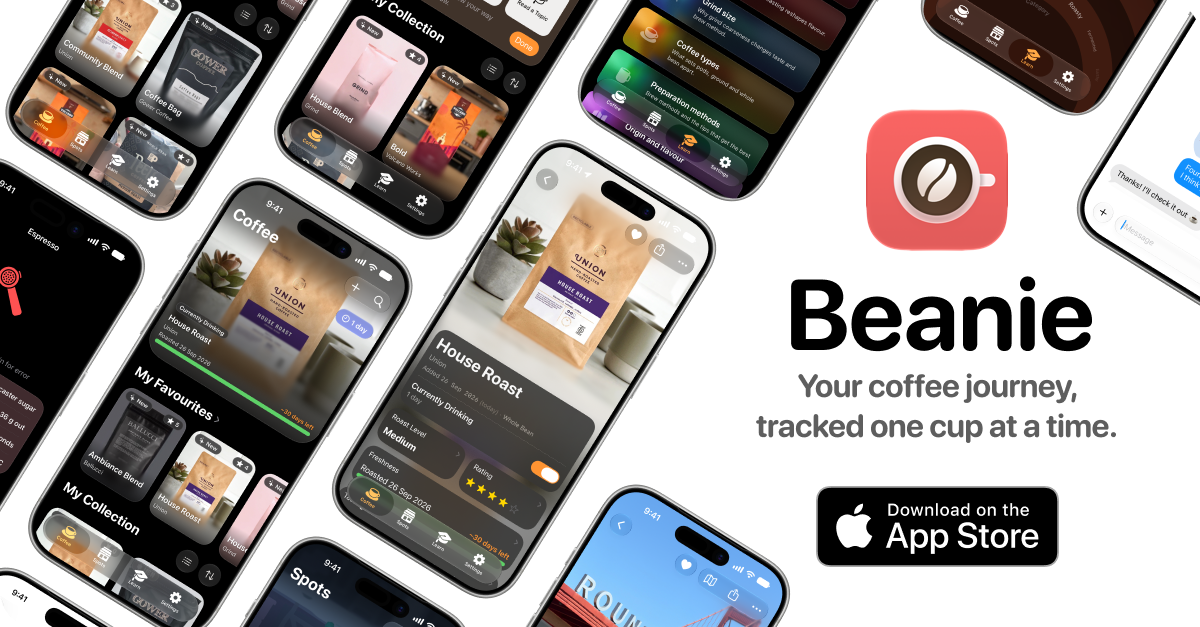
Beanie is a coffee companion for iPhone, with a Coffee Compass on Apple Watch. Scan a bag, remember what you tasted, and pick better next time.
The pitch
You don’t have to be a professional to care which bag you liked. But a month after finishing something good, the roaster and the origin are gone, and the next order is a guess. Beanie is the place that remembers for you.
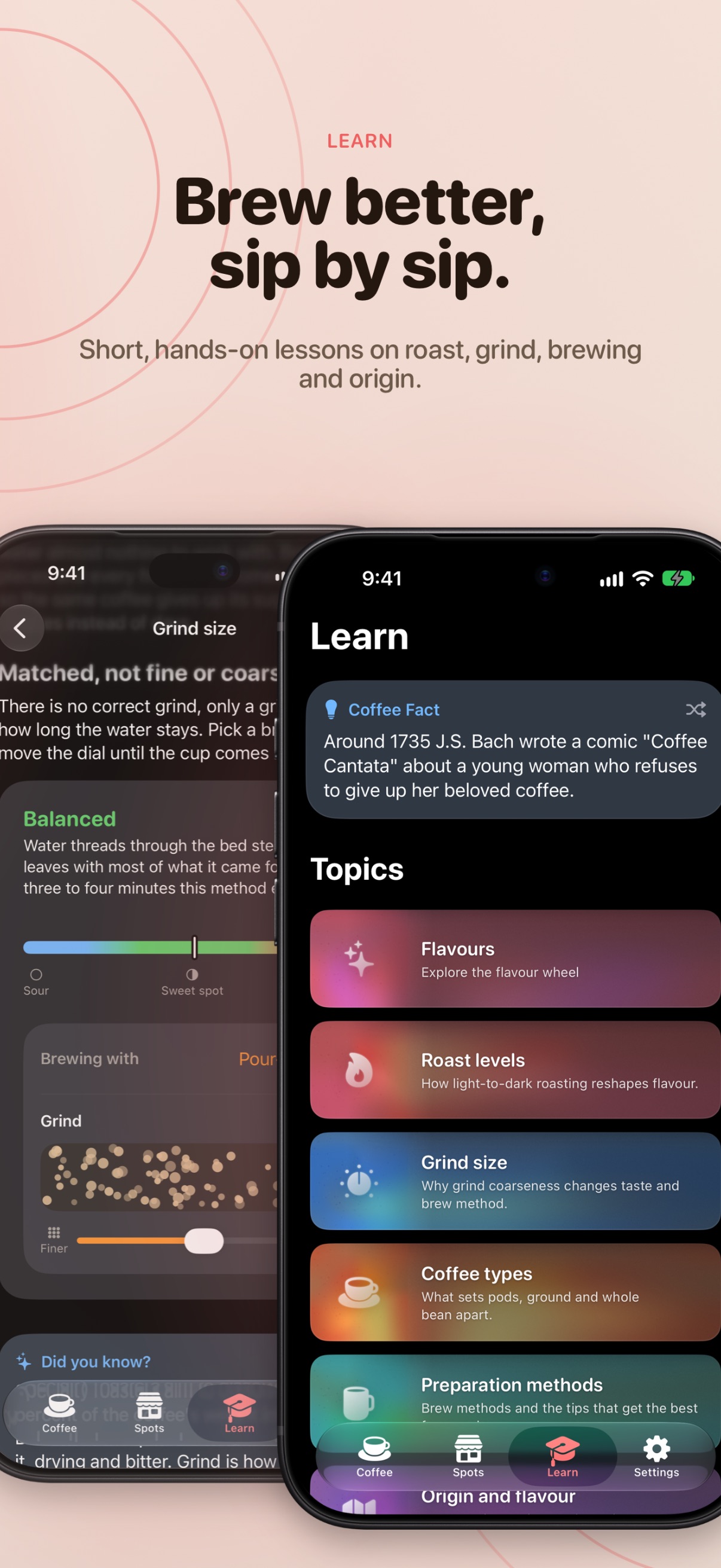
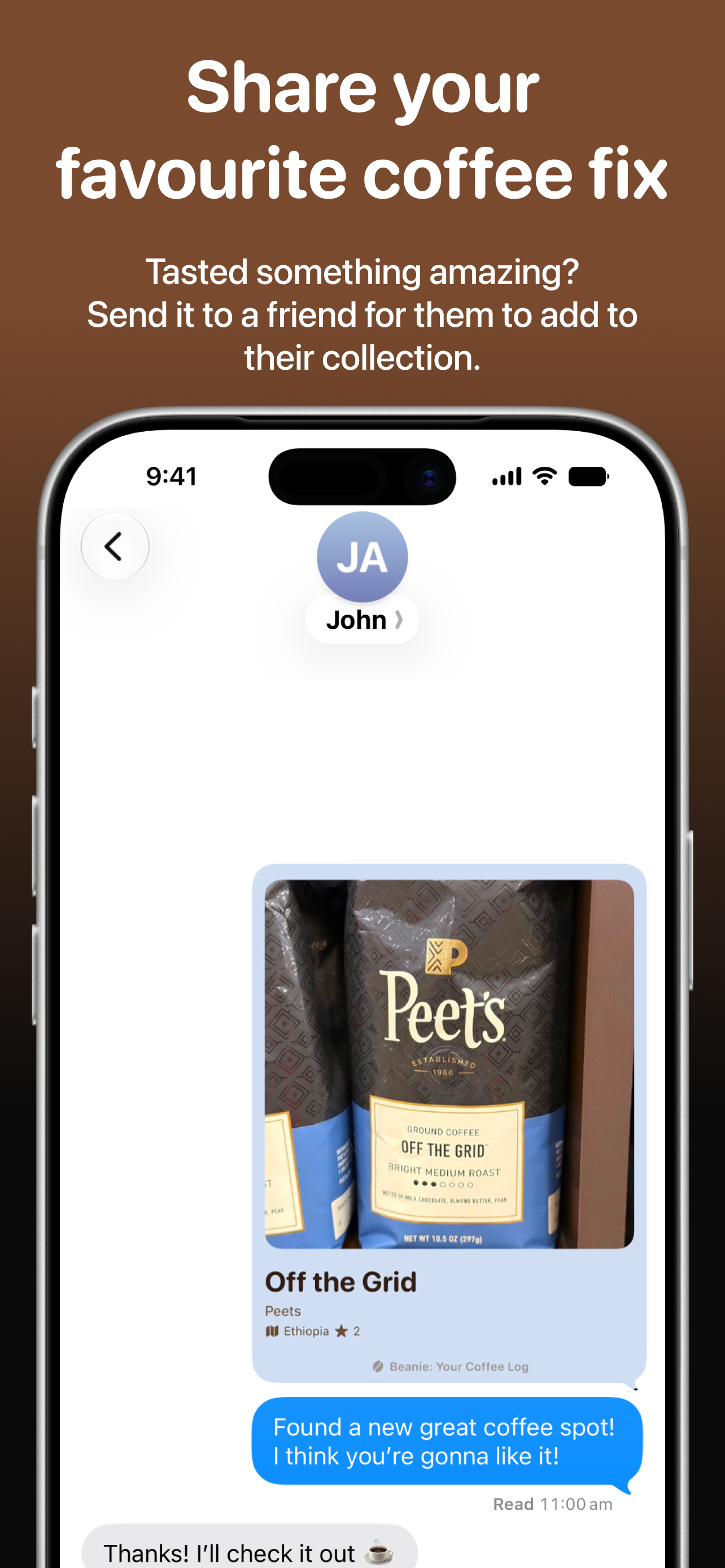
Point the camera at a bag and it reads the label: roaster, name, origin, roast level, weight and price. It uses Apple Intelligence on-device, on iPhones that support it. Add what you actually tasted, either in your own words or through a flavour wheel that walks from “fruity” down to “pink peppercorn”. Save the cafés worth returning to, and let the Coffee Compass point the way, on iPhone or on Apple Watch with the phone left in your pocket. Send a bean to a friend and it lands in their library as a tap. And when you want to know why a cup tasted the way it did, the Learn tab explains roast, grind, brewing and origin through lessons you can play with.
It’s built for people who are into coffee without being precious about it: no cupping scores, no brew ratios to fill in, no homework. Log as much or as little as you feel like.
It syncs through the user’s own iCloud account, so there is no Beanie server holding anyone’s library and no account to create. The scanning is on-device too, so no bag photo is uploaded anywhere to be read. The privacy policy sets out what the app does and doesn’t collect.
Fact sheet
- Name
- Beanie: Your Coffee Companion
- Developer
- Jakub Adrian Niemiec
- Category
- Food & Drink
- Platform
- iPhone and iPad (iOS 26.0 or later), Apple Watch (watchOS 26 or later)
- First released
- 14 May 2026
- Price
- Free
- Languages
- English (UK), English (US), Polish, Slovak
- App Store listing
- Beanie on the App Store
Price and release facts are read from the App Store when this page is built.
What’s new in 1.8.0
Beanie now looks after your beans even when the app is closed.
Freshness reminders
Get a gentle nudge when a bag is reaching its best, and pick the time of day reminders arrive. Beanie explains why it's asking before it requests permission.
Rate what you've finished
Forgot to rate a bag? Beanie will remind you, so your history stays complete.
Finer grind settings
Numeric grind scales now support half and quarter steps, for those tiny dial-ins that make all the difference.
Richer coffee spots
Spot pages now show amenities at a glance in a clean two-column list. Distance to your nearest spot sits right in its badge, and map markers are a consistent size everywhere, including iPad.
A fresh coat of colour
A new coral accent, an updated app icon, and a matching launch screen. Notifications now show the real Beanie icon too.
Little things
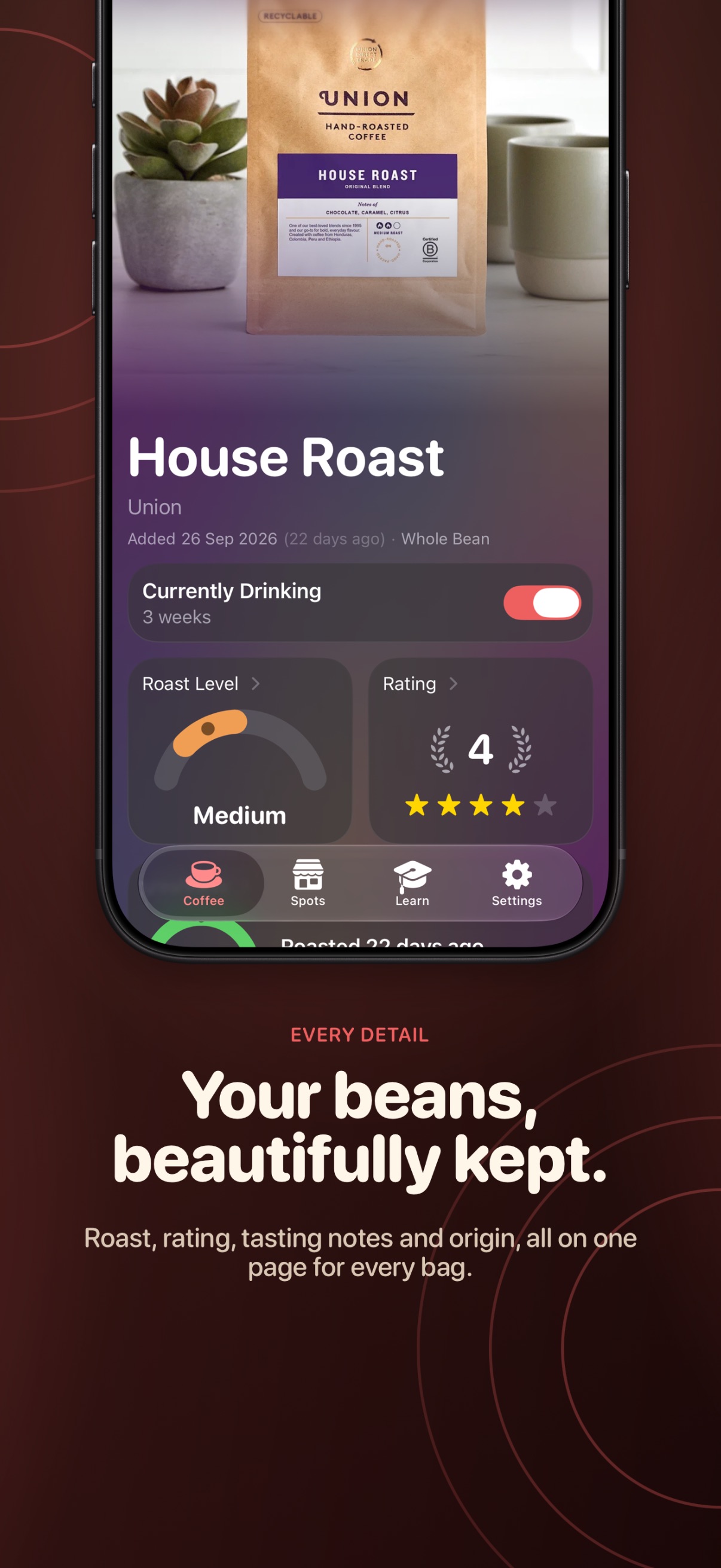
• The Currently Drinking chip shows how long you've been on a bag
• Settings tells you when iCloud sync is off
• Beanie opens fine without an iCloud account and keeps your data on the device
• Bean pages and artwork tiles look right in light mode
• Fixed sheets stacking on the iPad freshness popover
• Fixed a freeze when tapping a reminder
Features
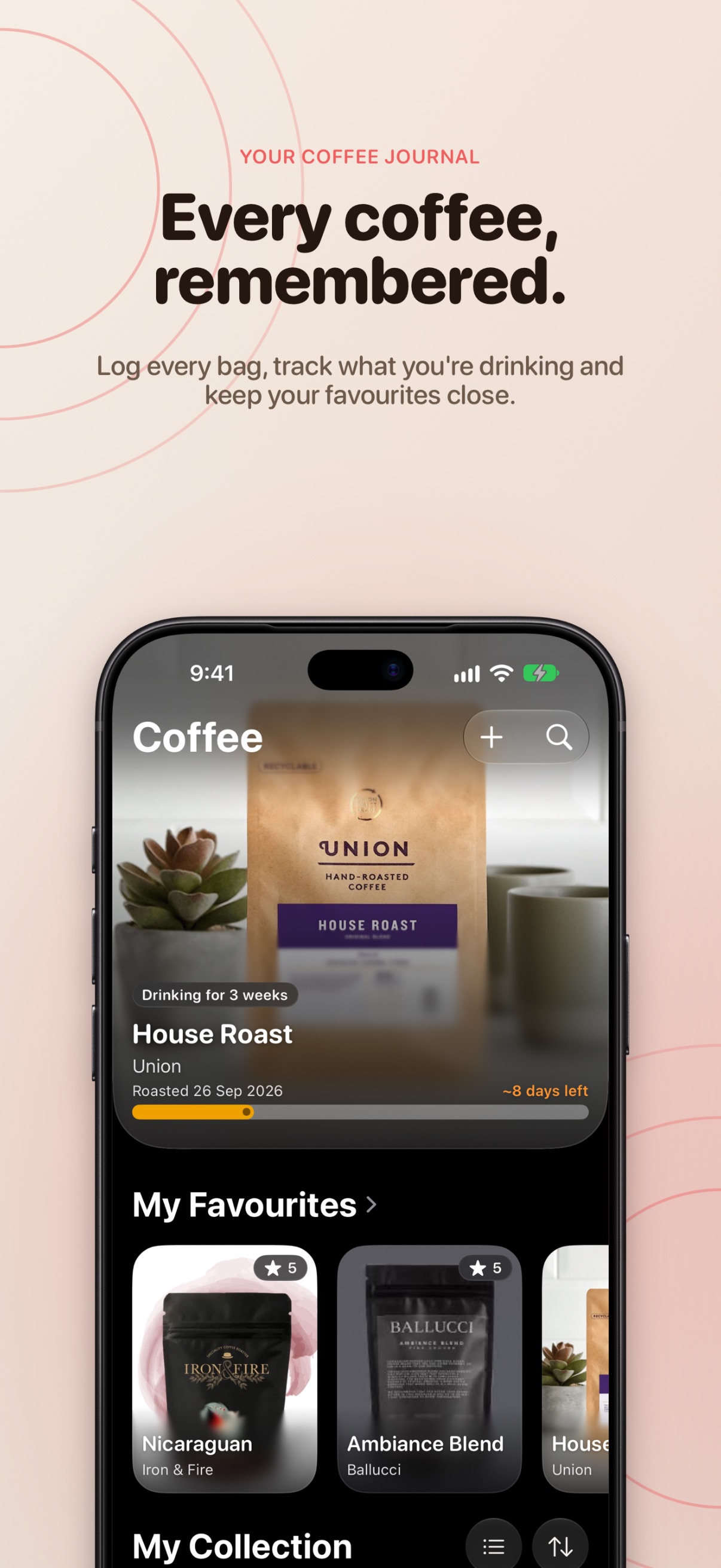
- Scan a bag, skip the typing Point the camera at a bag of coffee and Beanie reads the roaster, name, origin, roast level, weight, price and processing method straight off the label. Apple Intelligence does the interpreting on-device, on supported iPhones, and nothing is sent anywhere to be read.
- Freeform tasting notes Type whatever comes to mind and it becomes a coloured chip, pick from suggestions as you type, or open the flavour wheel and blend its picks with your own words.
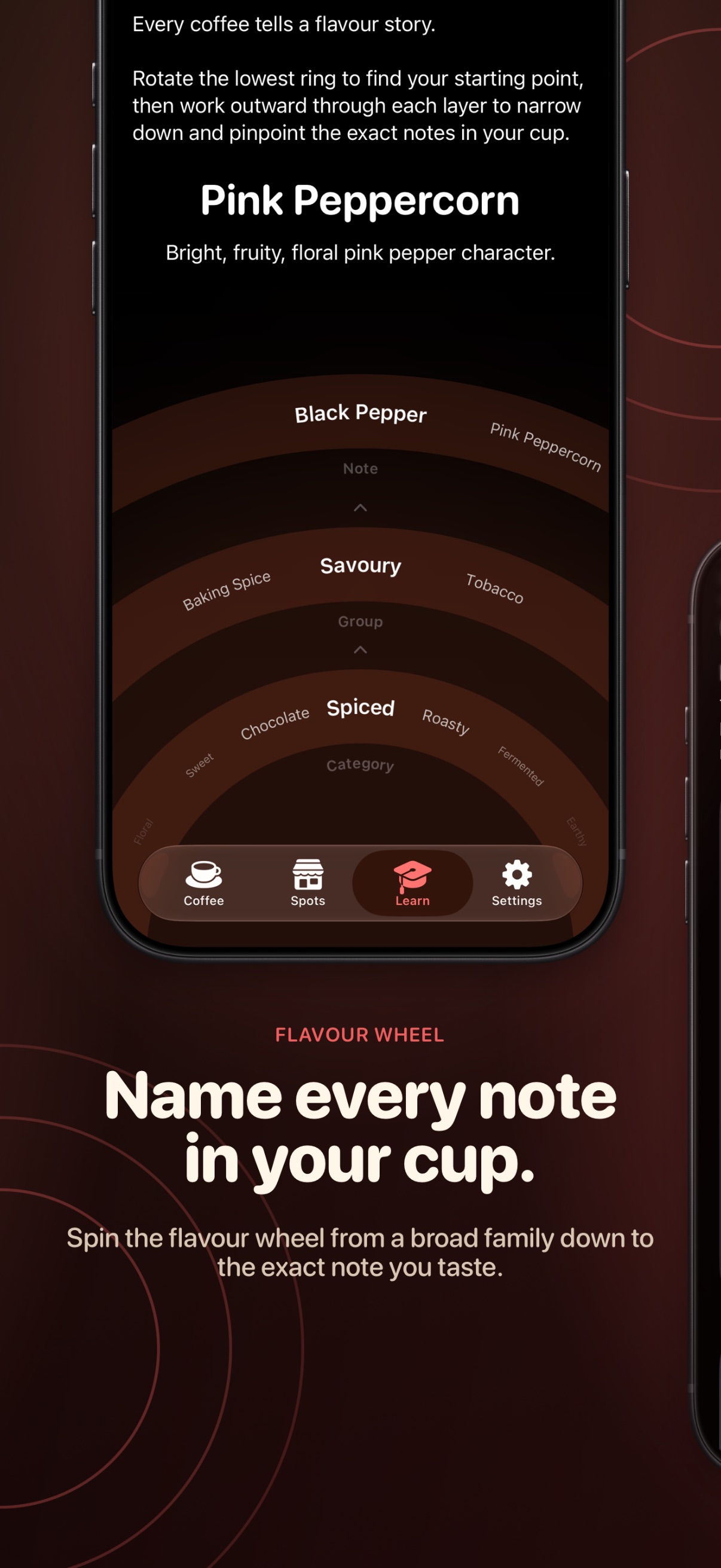
- A flavour wheel you can actually use Rotating rings move from broad category to specific note, so “fruity” narrows to “pink peppercorn” without needing a cupping vocabulary.
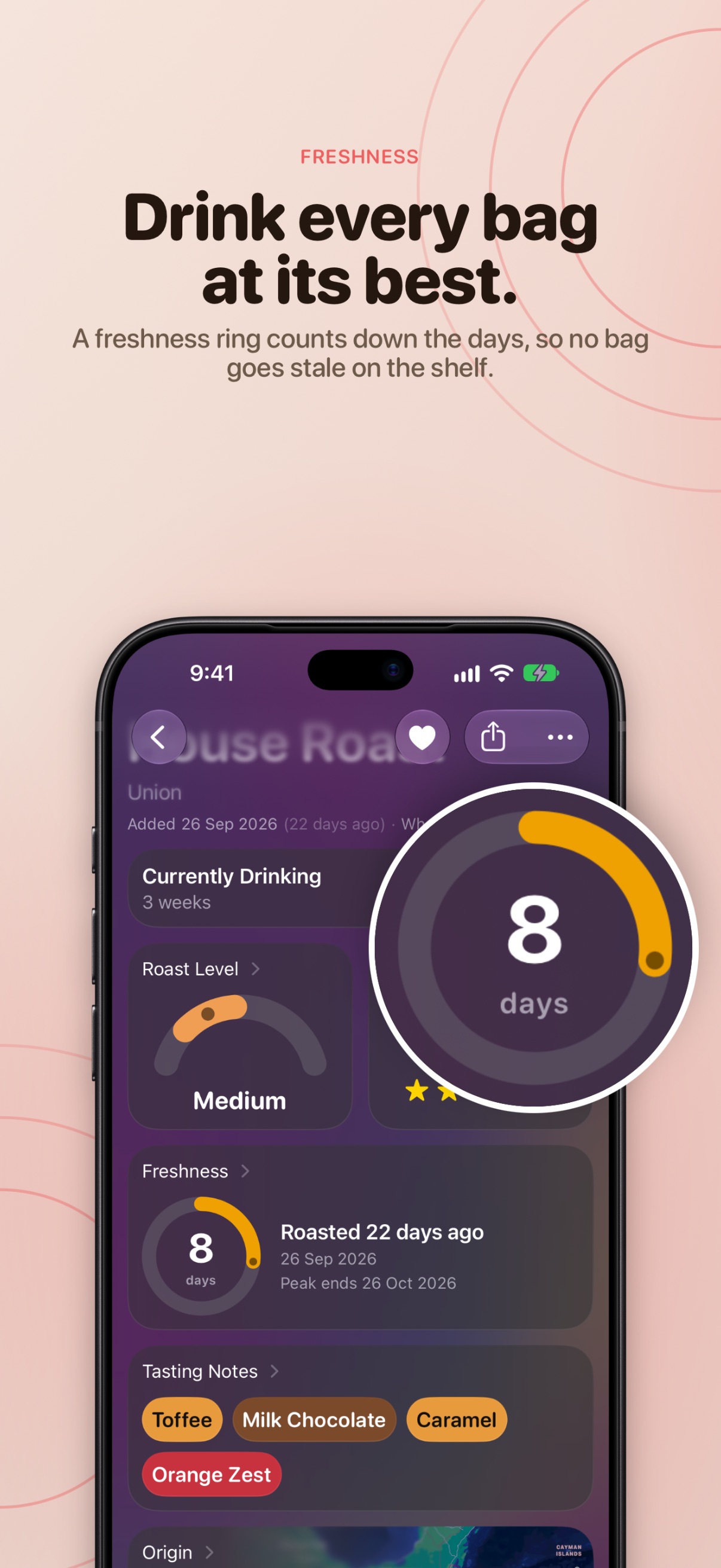
- Know when a bag is at its best Add the roast date and a freshness ring counts down the days, so the coffee you’re drinking right now always shows how long it has left. Optional reminders arrive at the time of day you choose, and Beanie nudges you to rate a bag you never got round to scoring.
- A grind setting that matches your grinder Numeric grinders get a dial with half and quarter steps, named scales get an arc wheel, so the setting that worked is there next time.
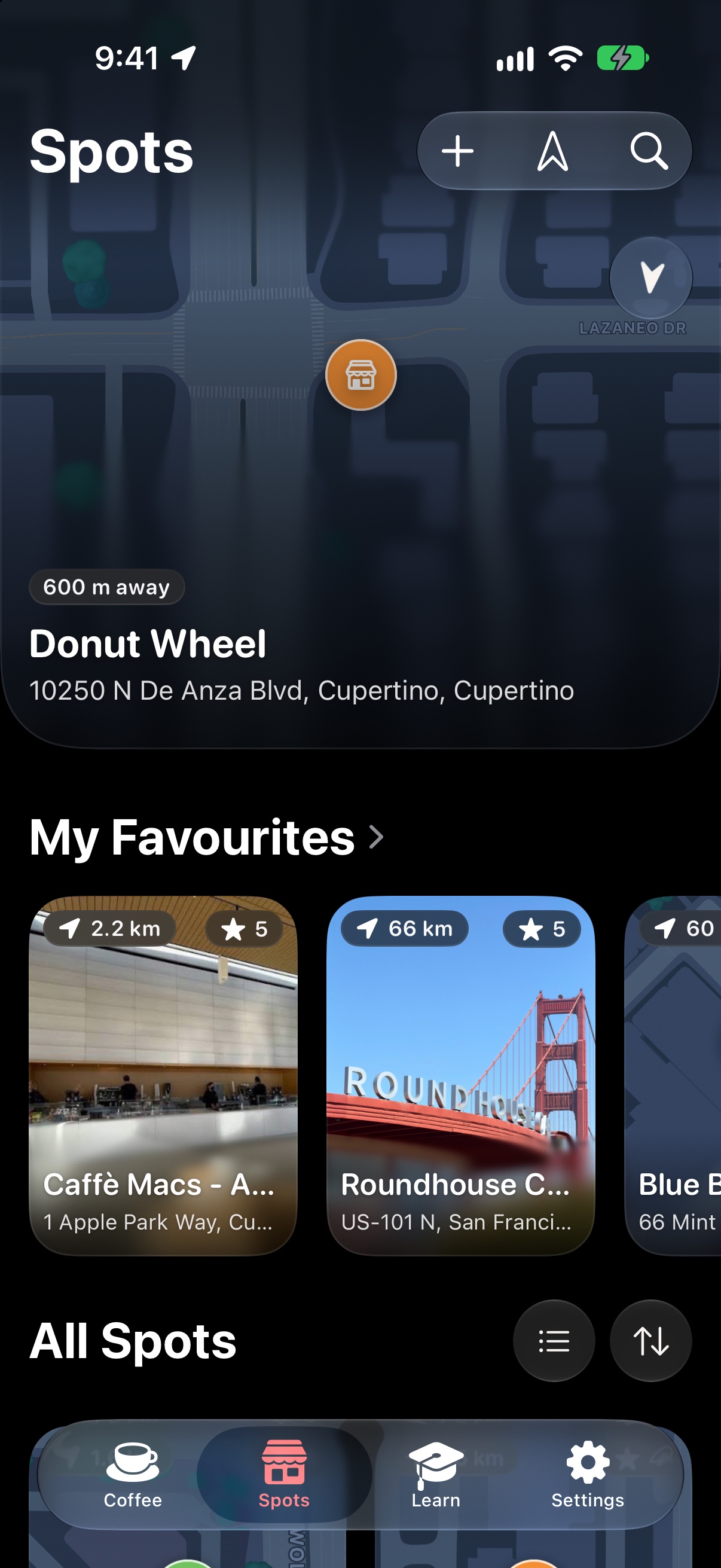
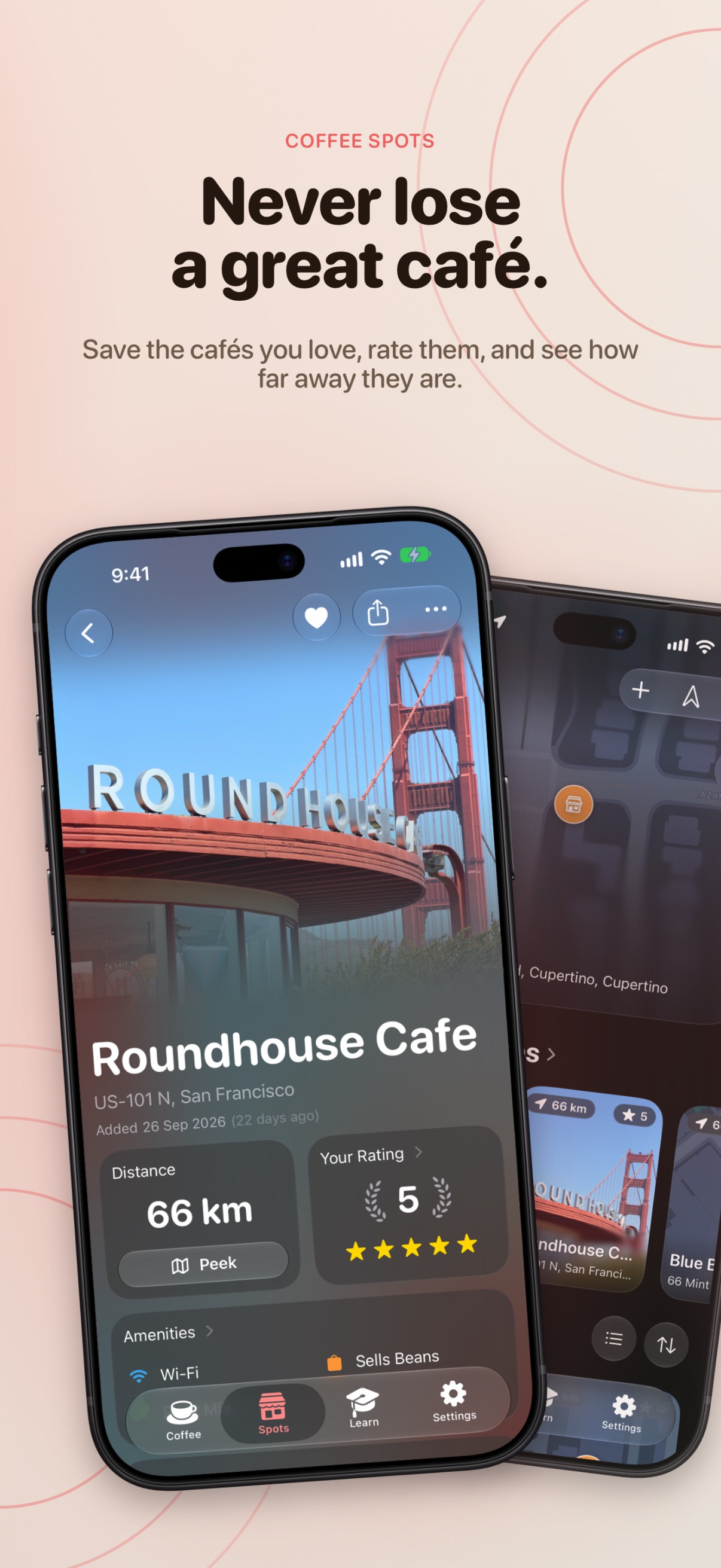
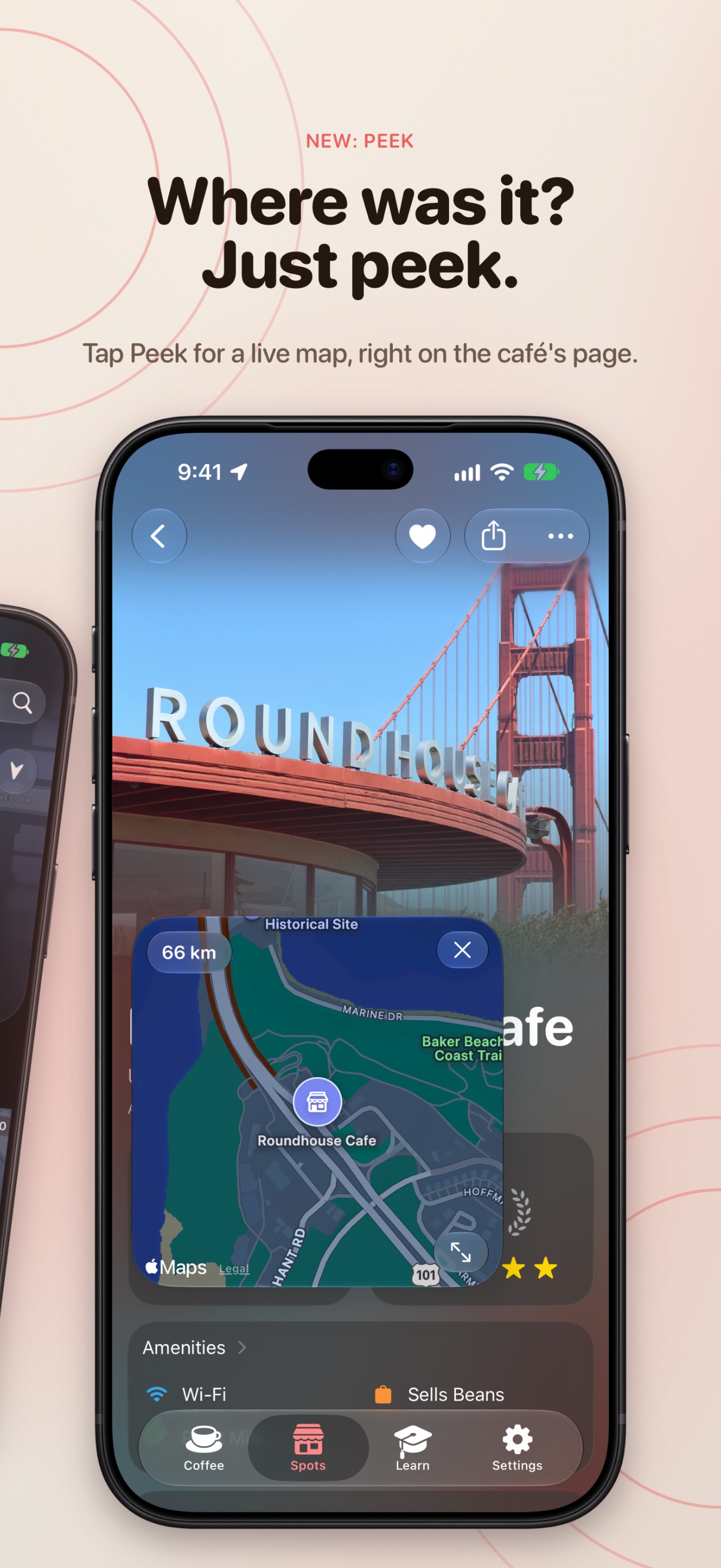
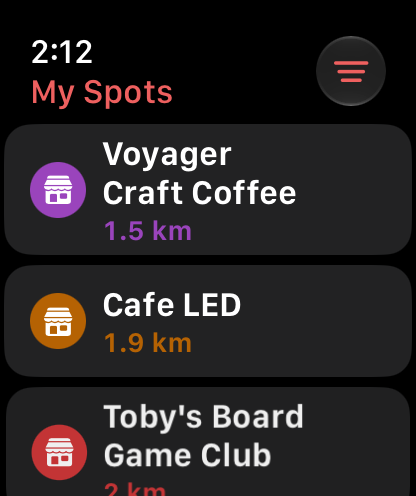
- Coffee spots worth remembering Save cafés with photos, ratings, a price level, amenities, labels and notes, sorted by how close you are right now. The nearest café shows up top even before you’ve saved one, and Peek opens a live map right on the café’s page.
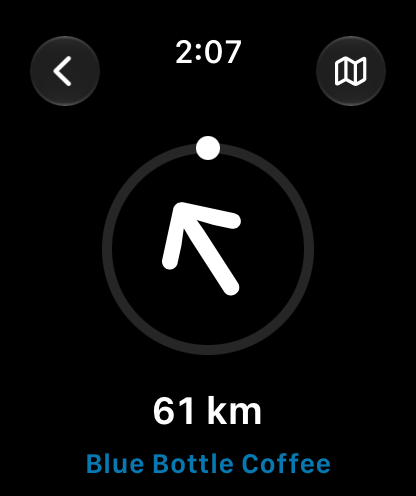
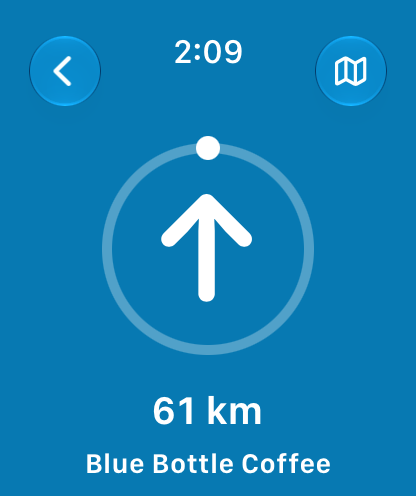
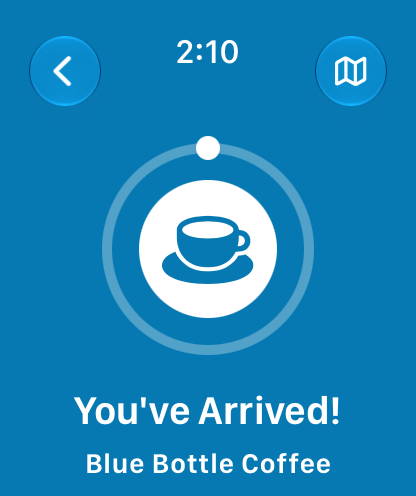
- Coffee Compass A Find My-style arrow points straight at the café you pick from the eight closest, nearby or saved, with the distance updating as you walk. Line up with it and the screen floods with the shop’s colour; get within 30 metres and Beanie tells you you’ve arrived.
- Coffee Compass on Apple Watch The compass on your wrist, with the phone left in your pocket. The watch runs its own café search and reads its own heading, shows saved spots from the iPhone alongside nearby cafés, switches shop with the Digital Crown, and taps your wrist when you line up and when you arrive.
- At home on iPad Libraries move into a sidebar, with the same beans and spots synced over iCloud.
- Learn coffee by playing with it Five hands-on lessons on roast levels, grind size, coffee types, brew methods and how origin shapes flavour. Slide a roast from light to dark and watch the taste shift, or tell Beanie your cup tastes sour and it points you to the fix. A new coffee fact waits on every visit.
- Share a bean to a friend Send any bean as a rich link. Tapping it adds the bean to their own library, no account needed.
- Private by default Everything syncs through the user’s own iCloud account: no Beanie servers, no sign-up, no ads or data brokers. Scanning is interpreted on-device, and library contents never leave the device.
Screenshots
Apple Watch
Click any screenshot to download it at full resolution.
Icon & banner

Links
Contact
For press enquiries, interview requests or anything not covered here, get in touch and you’ll hear back directly.